A local-first score workstation that only reports what it can measure
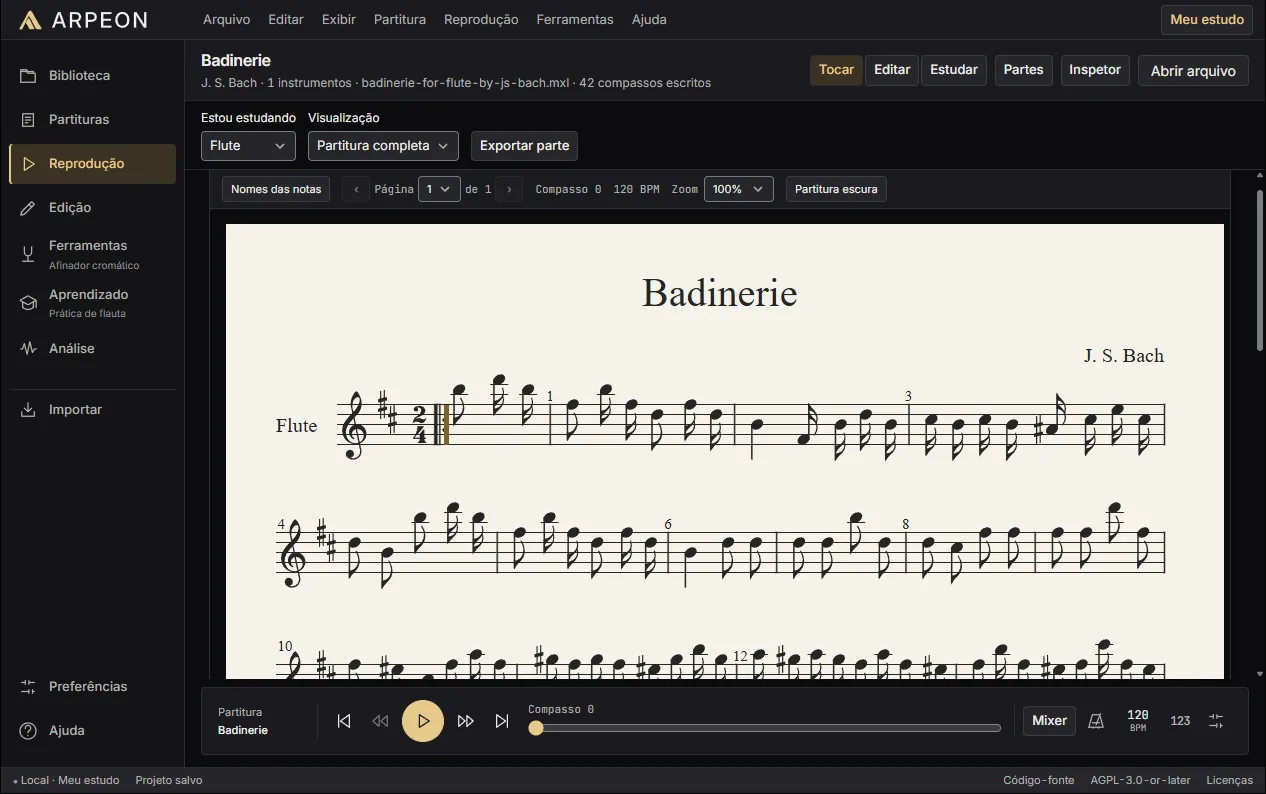
ARPEON is my open-source desktop application for reading, editing and practising sheet music. Java modules own the music, the audio and the files; an Angular interface runs in an embedded Chromium window. It is a pre-release: the code is public, the Windows binaries are not yet.
Context
Studying from sheet music usually means juggling tools: one to read the score, another to play it back, a tuner, a metronome, and something to record an attempt and compare it with what was written. Most of them assume an online account or send audio to a server. ARPEON puts that loop into one desktop application that runs entirely on the machine in front of you.
It is open source under AGPL-3.0-or-later and still a pre-release. Version 0.1.1 was published as source code; a 0.1.2 Windows build exists locally, but public binaries are held back until the release gates on signing, redistribution and recovery are closed.
The problem
Music software fails quietly. A parser that drops a second voice, a playback engine that rounds a triplet, or a tuner that reports a confident pitch for noise all produce output that looks right. Drawing notes on a screen is the easy part. The hard part is keeping one exact representation of the music through import, editing, playback and analysis — and refusing to pretend when an input cannot be represented.
The second problem is the shape of the application. The interface wants a modern web framework and a notation renderer; audio capture, timing and file handling want a runtime with direct access to the machine. Joined carelessly, that gives either a web page with the microphone wired into JavaScript or a native interface that is expensive to change.
Constraints
Architecture
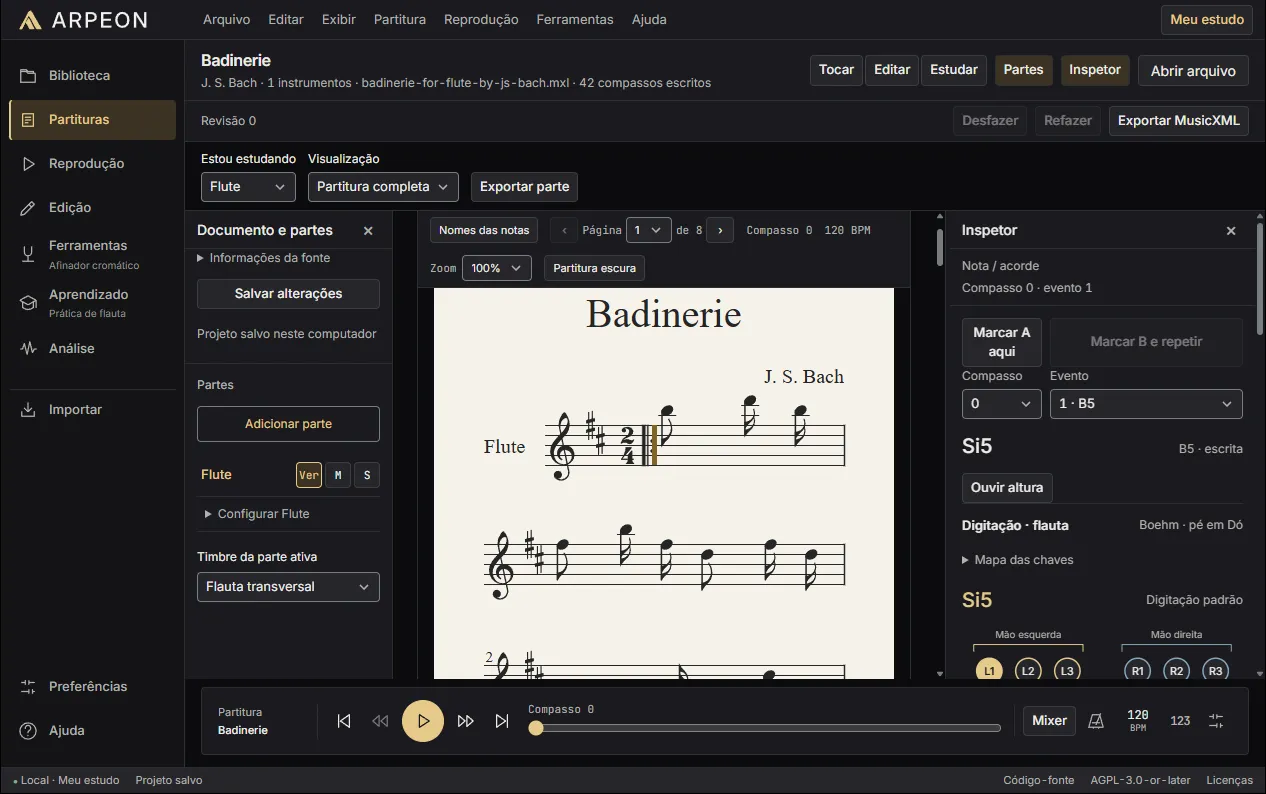
The application is two programs that ship as one. Java 25 owns the musical domain, MusicXML parsing, audio capture, pitch detection, the MIDI transport and project storage. The Angular 22 interface renders notation with OpenSheetMusicDisplay and runs inside a Chromium window embedded through JCEF, so the renderer ships with the application instead of depending on whatever browser is installed.
The two halves talk over HTTP on 127.0.0.1, bound to an ephemeral port and authenticated with a cryptographically random 256-bit session token. Requests are bounded, Host and Origin are checked, CORS is disabled and there is no JavaScript-to-Java bridge. Only score data and measurements cross that line; the microphone belongs to Java.
Below the desktop application, eleven Gradle modules split the work: domain, MusicXML, audio, DSP, tuner, transport, playback, import, OMR, analysis and an offline machine-learning experiment. The domain module has no project dependencies, and none of the musical modules know about the window, the installer or the HTTP layer.
Key decisions and trade-offs
Five decisions shaped the system, and each of them cost something.
Quality and tests
The repository has 242 JUnit tests and 184 Vitest tests. CI builds and tests the Java modules on Windows, Linux and macOS, runs formatting, linting, type checking, tests and a production build for the frontend, and checks dependency licenses. Tests use synthetic audio and saved fixtures, so pitch detection and the recognition pipeline are exercised without a microphone.
A green run on macOS means the modules work there, not that a macOS installer exists. Microphone latency, synthesizer quality and real audio devices still need acceptance on physical hardware, and the repository says so instead of letting a passing build imply it.
Results
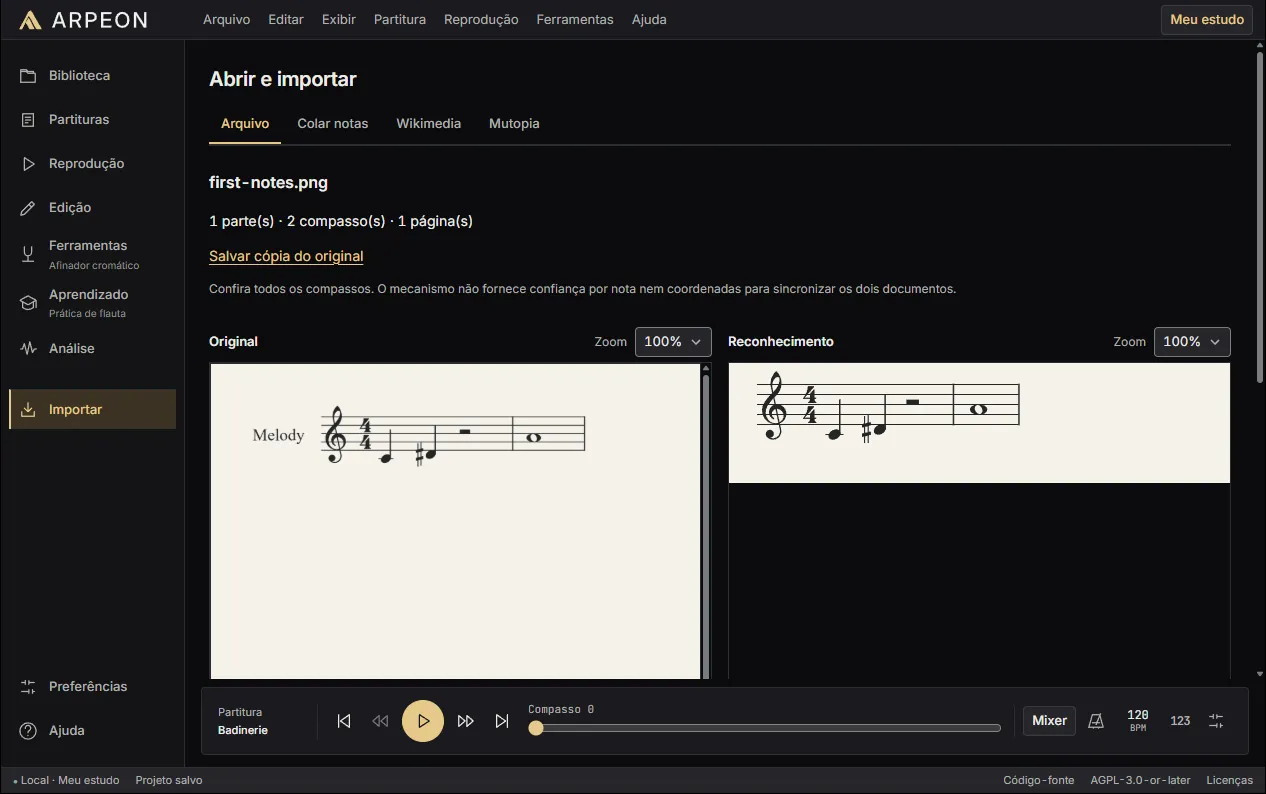
What exists: a Windows desktop build with score import and editing, MIDI playback with loops and a metronome, a chromatic tuner, fixed-tempo performance reports, PDF and image recognition with review, local study profiles and a per-user MSI installer. Local validation exercised install, repair, upgrade, downgrade rejection, uninstall and reinstall with projects and preferences preserved, and launched the application without Java or Node on the PATH.
What does not exist yet: a public binary release. Trusted code signing, a live update feed and some redistribution obligations are still open, and installer rollback failed under fault injection on the test machine. Those are listed in the repository as open gates rather than hidden behind a download button.
Retrospective
The first version opened the system browser from a Java launcher. It was the right size for the first vertical slice — a working tuner — and the wrong shape for a product: the experience depended on whichever browser was installed, and the microphone stayed tied to an open tab. Moving to an embedded Chromium window was cheap only because the loopback contract already existed; the interface did not have to change.
What I would repeat is failing closed. Every importer rejects what it cannot represent faithfully. It makes the feature list shorter — one-staff MSCZ, monophonic MIDI drafts — but nothing a user opens is silently different from the file they chose.